Start with your Map
Choose a programme. Coach starts from your next session, its exercises, and your place in the programme.
TERRIFIT / Тренер
Fifty minutes in the plan. Thirty-five in your day. See what can change, understand why, and make the call.
Guided coaching in the development app. This is a programme adjustment tool, not a human coach or an AI chat.
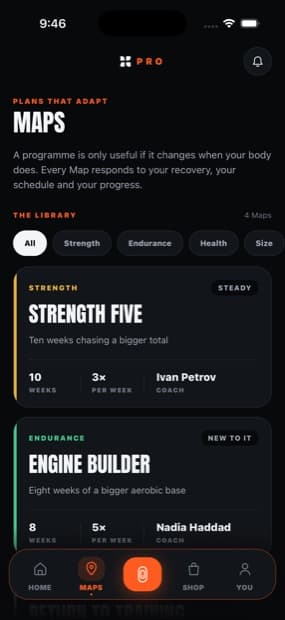
Choose a programme. Coach starts from your next session, its exercises, and your place in the programme.
Choose your available time and how you feel. See the proposed session and the reason for every change before accepting.
Your accepted adjustment opens in the workout. Save the completed session and see it in your weekly progress.
Coach can shorten a session by removing complete exercises from the end while preserving exercise order, rest and effort. Times are estimates. If there is not enough room for a sensible session, it suggests pausing instead of rushing.
Yes. Your workout changes only after you accept a proposal. Restore the original before you start. A proposal expires when your day or programme position changes.
Coach pauses workout recommendations when you report pain or your profile includes a health constraint. It does not diagnose symptoms, use a recovery score as medical clearance, or prescribe around an injury.